Cards
A card is a physical QR + NFC tag with its own analytics. The Cards page lists every card on your account with its status, destination, assigned person, and scan count.
Your cards at a glance
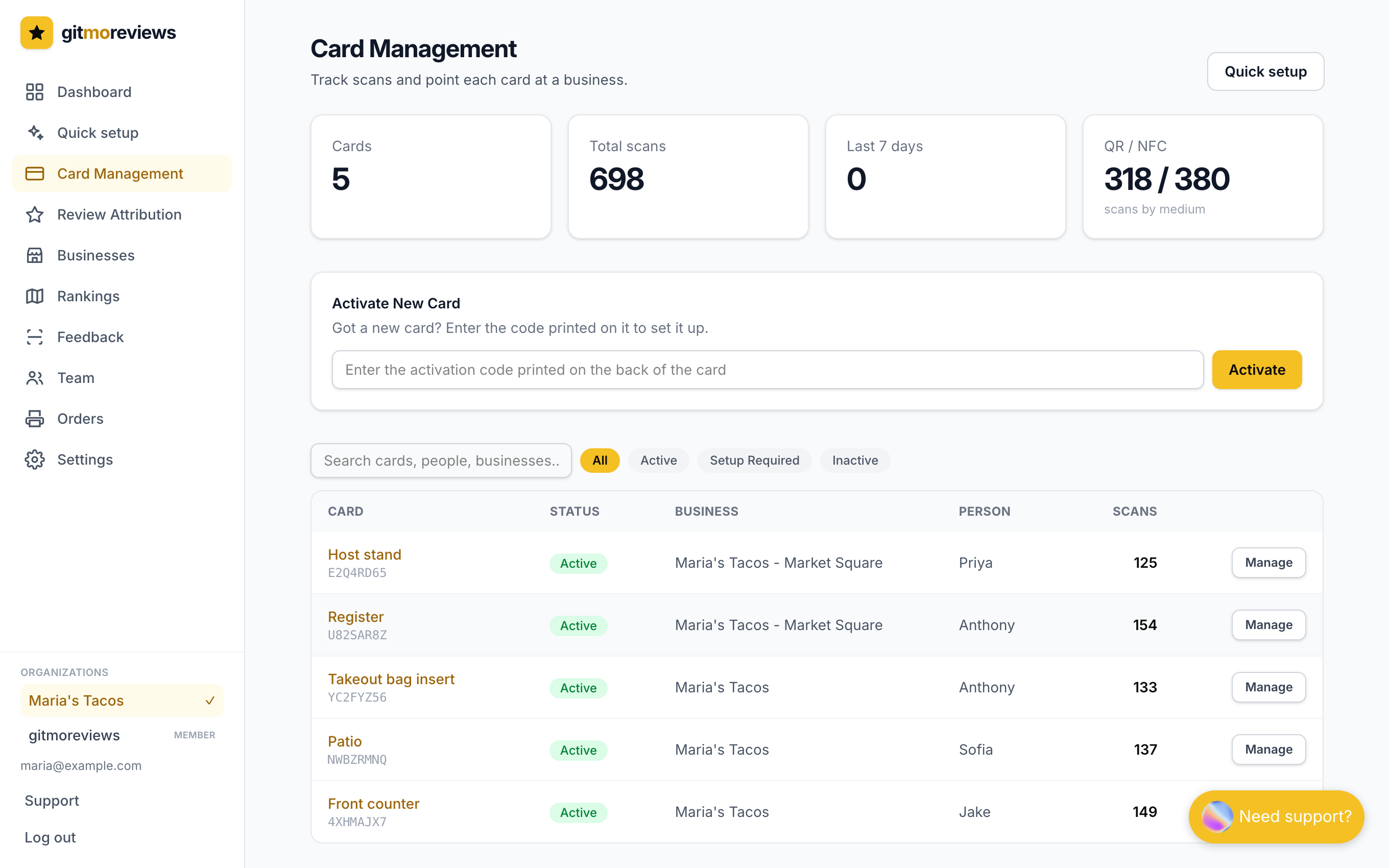
Each card is in one of three states:
- Active - it has a working destination (a business, its own link, or your account's default link).
- Needs link - it's yours but has nowhere to send customers yet. Scans show a "not set up" page.
- Unassigned - printed but not claimed by any account.
The card page
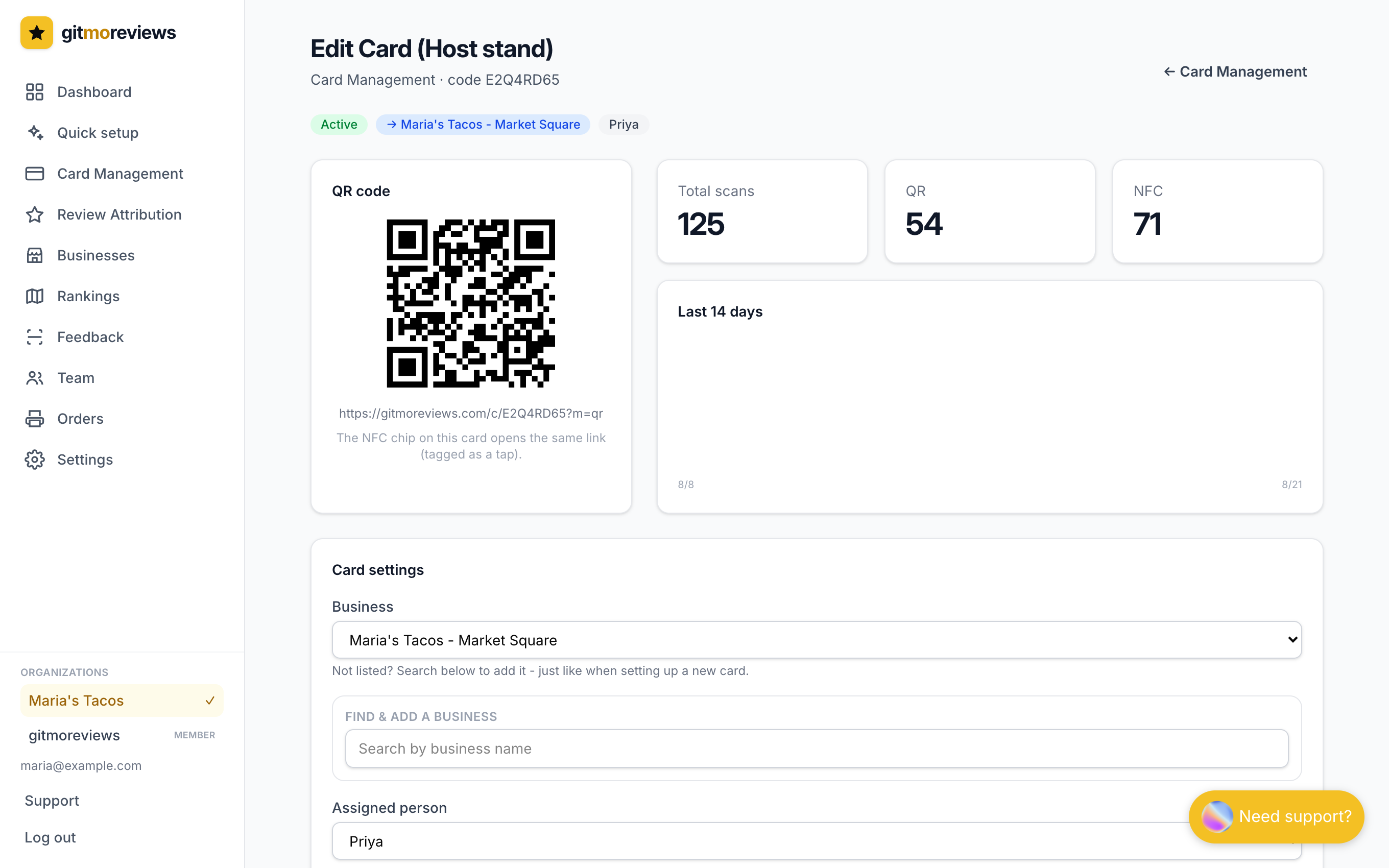
Click any card to see its QR code, scan totals split by QR vs. NFC tap, a 14-day activity chart, and its recent scans. This is also where you change what the card does.
Assigning a business and a person
Business controls where customers land - that location's Google review page. Assigned person is who carries the card. Assigning people powers the leaderboard on the dashboard and lets reviews be credited to the teammate who earned them.
Deleting a card
Delete this card at the bottom of the card page removes it from your account: it's unlinked, stops redirecting, and returns to the unassigned pool. Its scan history stays with the card, but it no longer counts toward your stats.