Reports dashboard
The Dashboard answers one question: are the cards working? It combines your tap activity with your Google reviews - synced automatically every week - so you can see the payoff per location and per person.
Overview
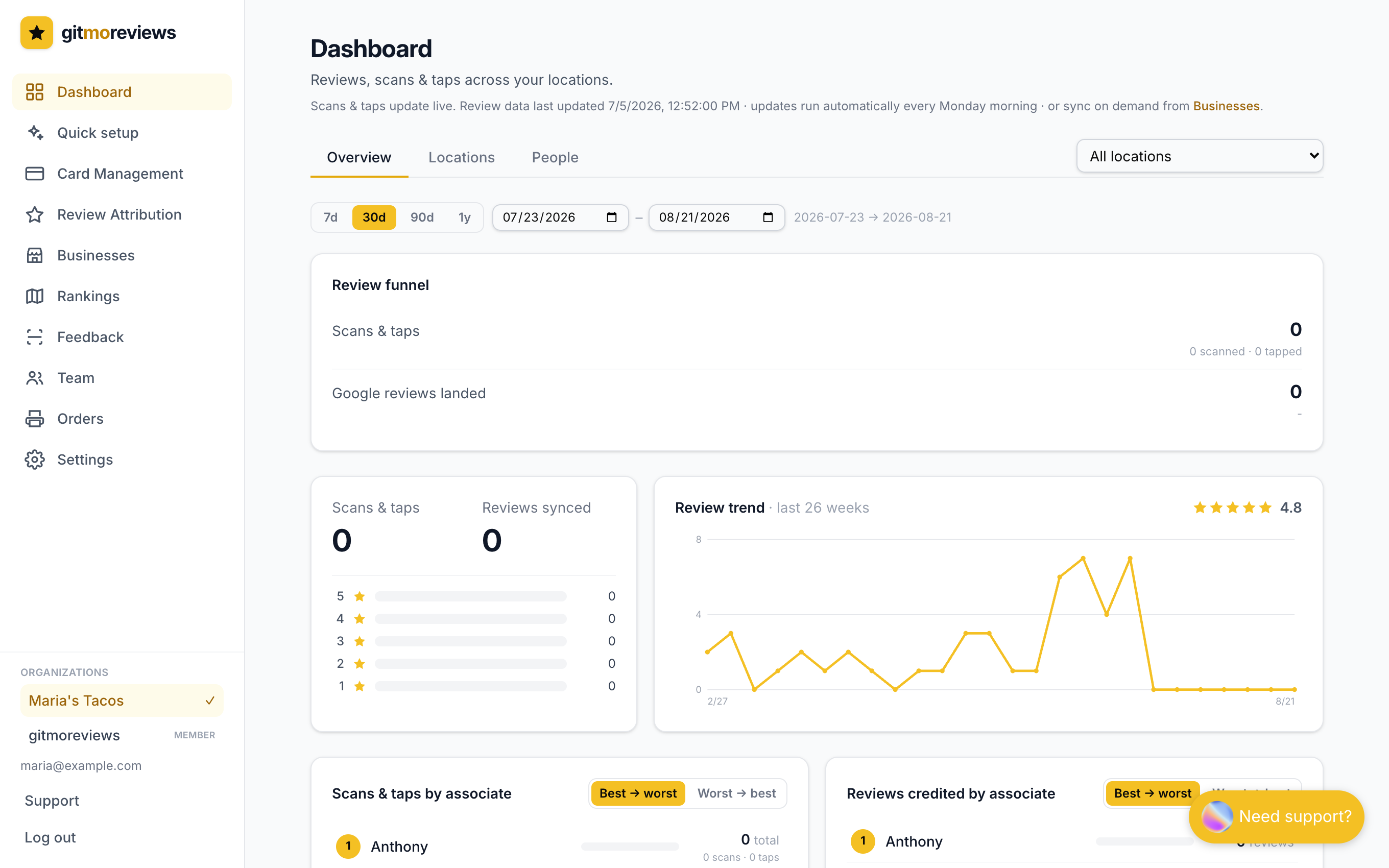
- Scans & taps - every QR scan and NFC tap across your cards (bots filtered out), with the scan/tap split shown alongside.
- Total reviews & stars - your synced Google reviews with a rating breakdown, Google-style.
- Review trend - weekly reviews for the last 26 weeks. Hover any point for the exact week and count.
- Monthly reviews - a 12-month view for the long arc.
Use the location dropdown to focus everything on a single location, or leave it on "All locations" for the roll-up.
Locations
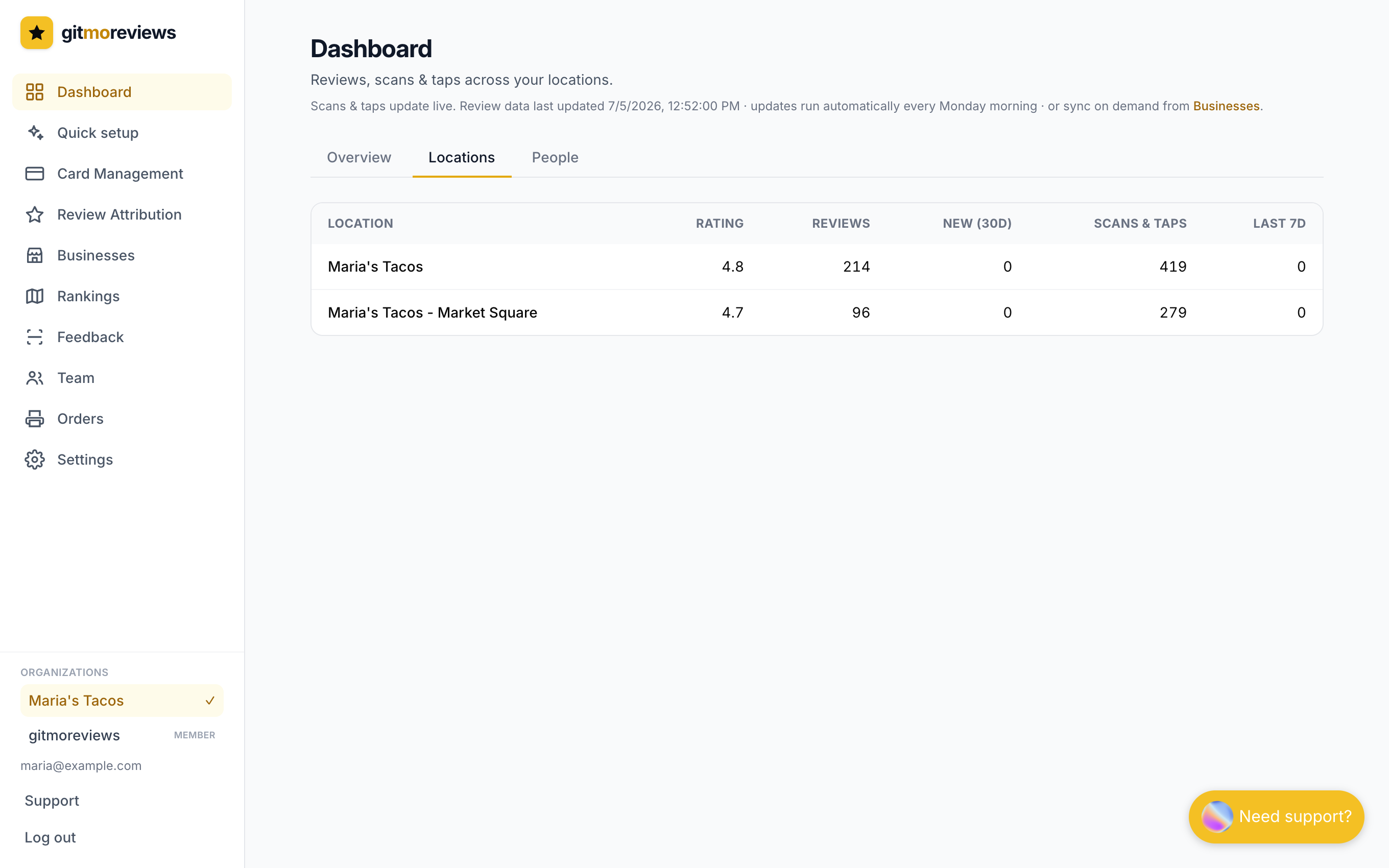
The comparison table stays unfiltered on purpose - it's how you spot the location whose cards are earning and the one that needs more cards on the counter.
People
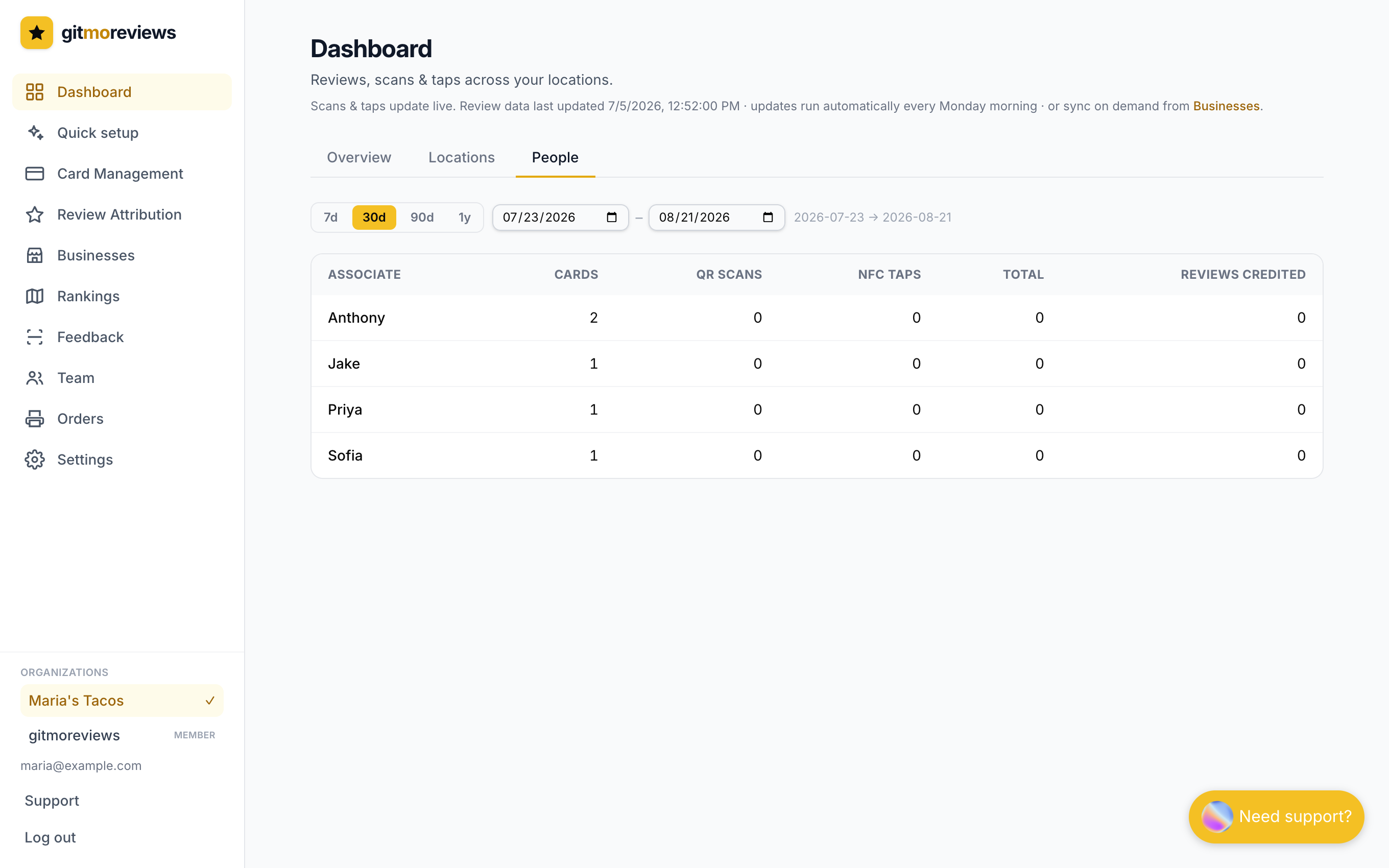
Anyone holding an assigned card shows up here with the taps their cards generated and the reviews credited to them. A little friendly competition goes a long way.
Rankings (Pro)
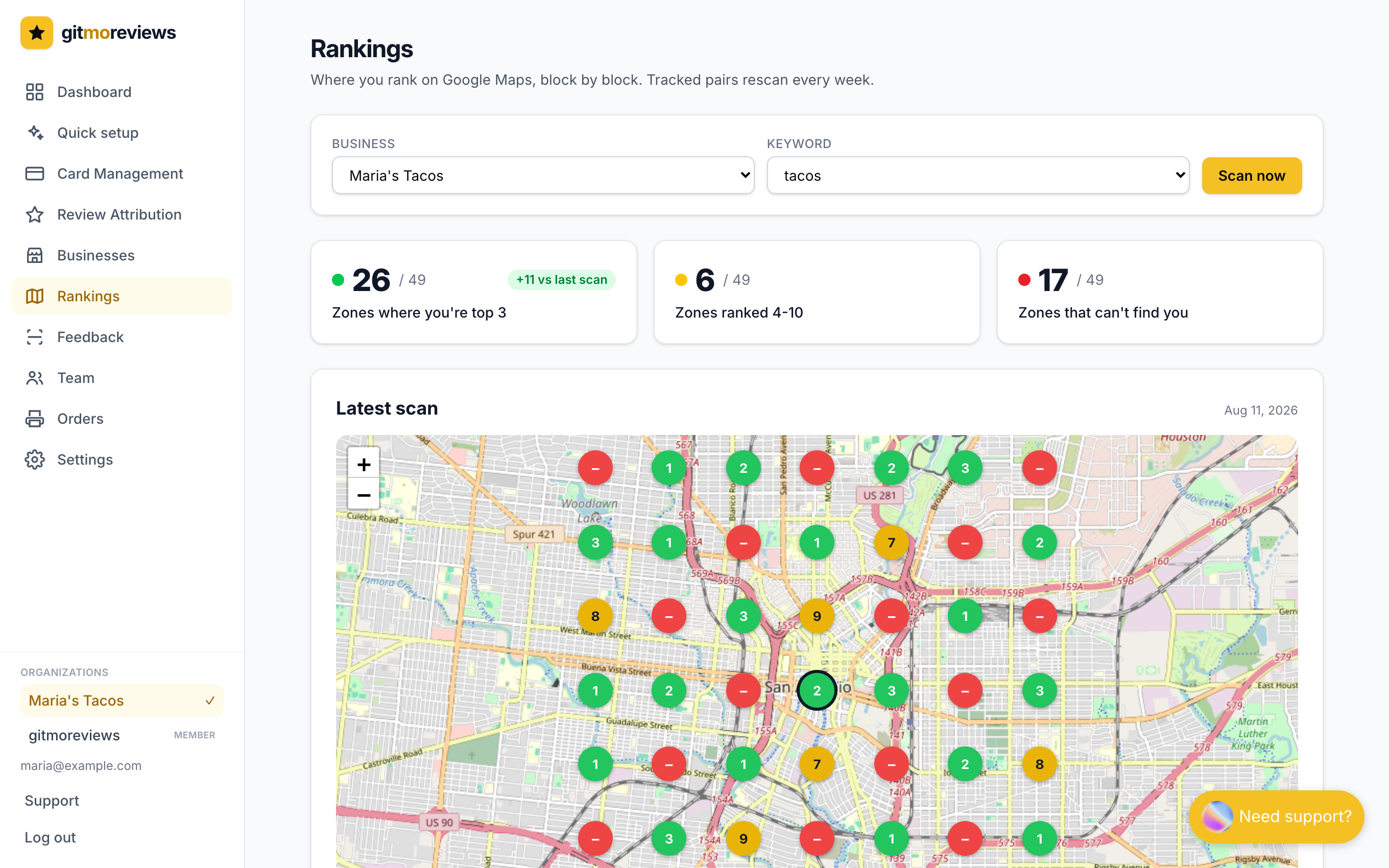
The Rankings page shows where you rank on Google Maps, block by block. We search Google Maps from 49 points around your business and put each result on a real map: green is top 3, yellow is 4-10, red means you don't appear.
- Add the keywords you care about (like "plumber near me") on the Businesses page.
- Every tracked keyword rescans automatically each week. The trend bars show your zones turn from red to green over time.
- The competitor table shows who holds the top-3 spots in the zones you don't - with their review counts, so you know the gap to close.
- Use Scan now for a fresh map. One scan per keyword per week - the weekly pass covers the rest.
AI review replies (Pro)
Pro can reply to new Google reviews for you. Turn it on per business on the Businesses page - each business row has an AI replies toggle and a tone picker. It needs your Google Business Profile connected, because replies post through your own profile.
Replies use the keywords you track, which helps your ranking for those searches.
Crediting reviews
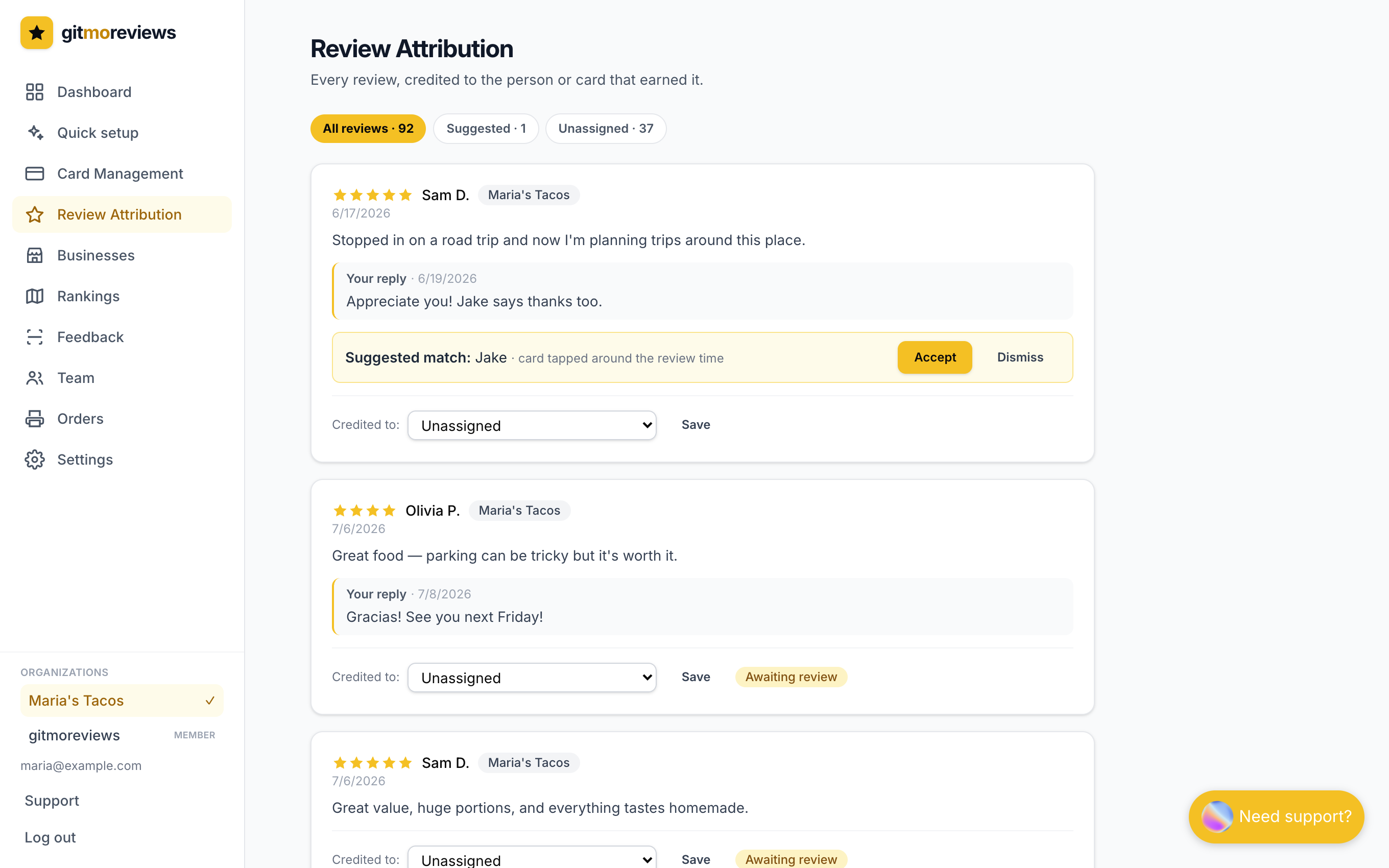
New reviews are credited automatically two ways: a review that lands within hours of a tap is suggested to that card, and a review that mentions a teammate by name is credited to them. Everything else you can assign by hand on Credit reviews - pick a person or a card from the dropdown and save.